Providing the latest on SNAP updates
New ways to manage your SNAP account and more!
SNAP UPDATES IN MISSISSIPPI
ENHANCING ACCURACY. EMPOWERING COMMUNITIES.
The Mississippi Department of Human Services is making important upcoming SNAP updates. These changes are designed to help reduce delays, improve accuracy, strengthen card security and make it easier for clients to manage their benefits.
From new income verification tools to card security upgrades and improved online access, these updates are designed to help clients keep their information current and ensure their benefits are delivered on time.
Current enhancements include:
- Upgrades to the Common Web portal
- New security features for EBT cards (June 11, 2026)
WHY THIS MATTERS
When case information is incomplete, outdated or inaccurate, it can lead to benefit errors, delays in processing or changes in eligibility. Updating the reporting tools clients use can help ensure that:
- Benefits are issued correctly
- Case updates are processed more efficiently
- Clients receive timely notices and information
- The program remains reliable for everyone
Keeping your information up to date is one of the best ways to avoid delays and protect your benefits.
WHAT’S CHANGING
Starting June 11, 2026, SNAP clients will have access to the ConnectEBT mobile app, making it easier than ever to manage EBT benefits directly from their phones.
Using the app, clients can:
- Check up-to-date balance and transactions
- Change PIN
- Manage new card security settings
- Report lost/stolen/damaged card
NEW EBT CARD SECURITY FEATURES
To help protect SNAP benefits from theft, fraud and card skimming, Mississippi will introduce new security controls.
Online and Out-of-State Transactions Will Be Blocked By Default
Beginning June 11, 2026:
- All online SNAP purchases will be blocked automatically
- All out-of-state SNAP purchases will be blocked automatically (including online grocery orders, delivery services and store pickup orders placed online)
These features are designed to help prevent unauthorized use of SNAP benefits and reduce benefit theft.
HOW CLIENTS CAN MANAGE THEIR SECURITY SETTINGS
Clients who need to make online or out-of-state purchases can manage their card settings using:
- The ConnectEBT mobile app [ Apple, Android ]
- The ConnectEBT online portal
- EBT Cardholder Assistance at 866-512-5087 (limited options available)
| 🔒LOCK MY CARD EVERYWHERE | 🛡️ BLOCK HIGH-RISK TRANSACTIONS (DEFAULT) | ⚠️ UNLOCK MY CARD EVERYWHERE |
| Blocks all EBT transactions, including purchases made within Mississippi. Use this option if: • Your card is lost or stolen. • You are not currently using your benefits. • You want maximum protection against unauthorized transactions. | Blocks: • All online transactions • All out-of-state transactions Note: This settings will be applied to all Mississippi SNAP accounts on June 11, 2026. | Allows transactions anywhere your EBT card is accepted, including online and out-of-state purchases. Clients choosing this option should use caution as it may increase the risk of benefit theft and fraud. |
WHY THESE CHANGES MATTER
Benefit theft and car skimming continue to impact SNAP recipients across the county. These new security features give clients more control over when and when their EBT card can be used while helping protect their benefits from unauthorized purchases.
Connect EBT Improvements
NEW LOOK. IMPROVED EXPERIENCE.
The CONNECTEBT website has undergone changes to provide a more user-friendly and accessible experience for clients while managing their EBT accounts.
These updates make it easier for clients to manage their EBT card and stay informed about their benefits.
With CONNECTEBT you can:
- Check up-to-date balance and transactions
- Change PIN
- Report lost/stolen/damaged card
Additional improvements and features are on the way!
Common Web Portal
BETTER CONTROL. MORE OPTIONS.
The Common Web portal offers clients a more robust experience and is one of the easiest ways for clients to manage and update their case.
Using the portal can help MDHS process caseloads faster and ensure information is accurate.
With the Common Web Portal you can:
- Check your balances and transactions
- Submit documentation
- Apply for benefits
- View notices
Submitting documents through the portal can help reduce delays caused by missed paperwork, incomplete case information or mailing issues.
HOW CLIENTS CAN HELP ENSURE ACCURACY IN REPORTING
Keeping your SNAP case up to date plays a key role in ensuring your benefits are timely and processed correctly.
SIMPLE STEPS YOU CAN TAKE:
- Report and changes in income, household size or employment within 10 days
- Submit any requested documents as soon as possible
- Review all notices in the Common Web portal
- Regularly check your EBT balance and purchase history
- Monitor your account for any unusual activity
- Update your PIN regularly
- Use the Common Web portal to manage your case
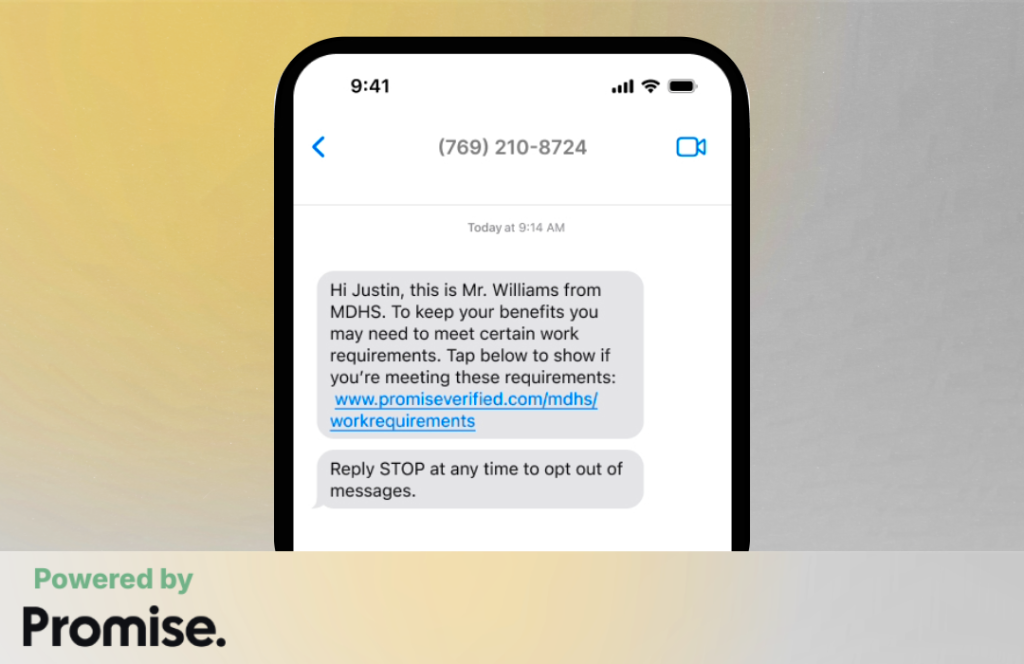
Stay in touch with Promise
We are partnering with Promise to help you stay up to date and in compliance. You may receive text message reminders for work reporting, recertification deadlines, and documents you need to provide to ensure timely processing.